1. Introduction to Twin Screw Extruders: Foundations for Effective Troubleshooting
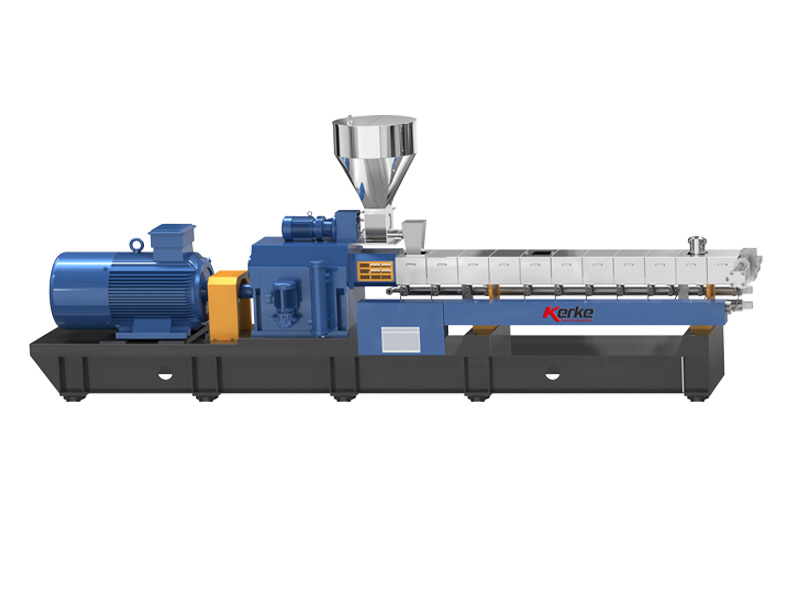
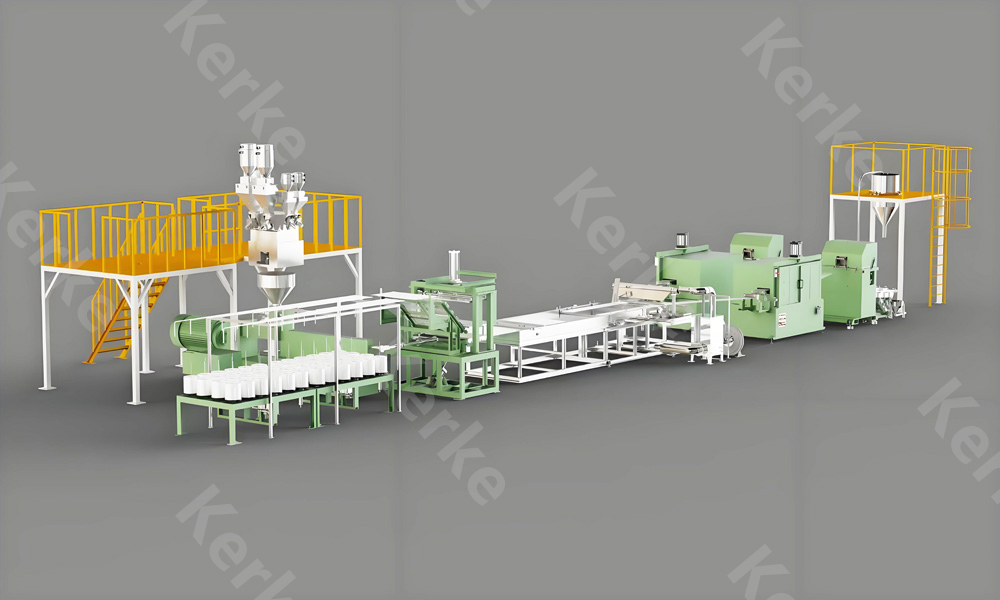
The twin screw extruder is a cornerstone of modern polymer processing, serving as the workhorse for applications ranging from masterbatch production to compounding of high-performance materials. At Kerke Extruder (www.kerkeextruder.com), we specialize in designing and manufacturing robust Twin Screw Extruders, Masterbatch Extruders, and Compounding Extruders tailored to meet the diverse needs of industries such as plastics, packaging, automotive, and pharmaceuticals. Understanding the core functionality of these machines is the first step in identifying and resolving operational issues—an essential skill for maximizing uptime, product quality, and overall efficiency.
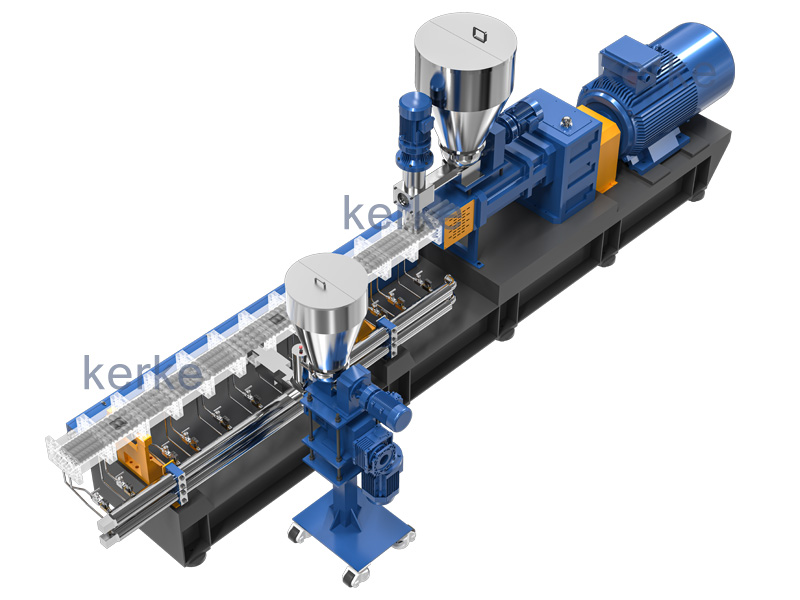
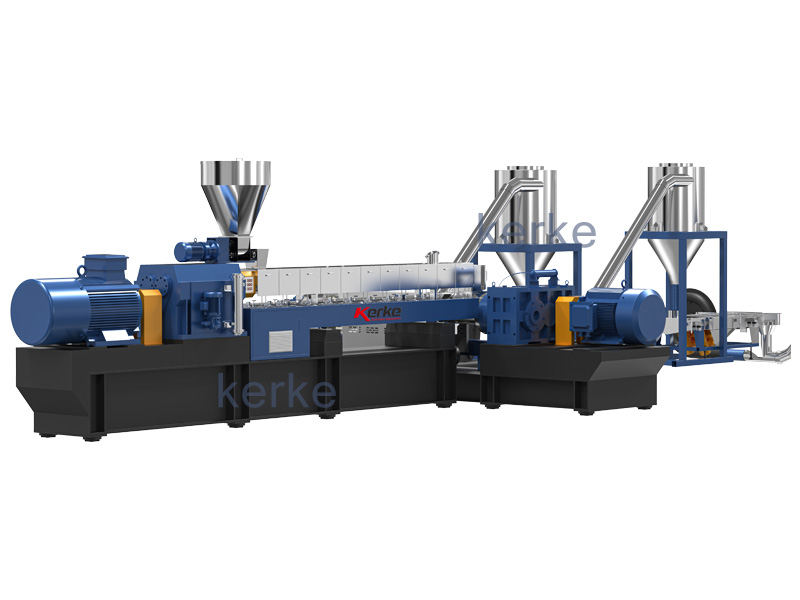
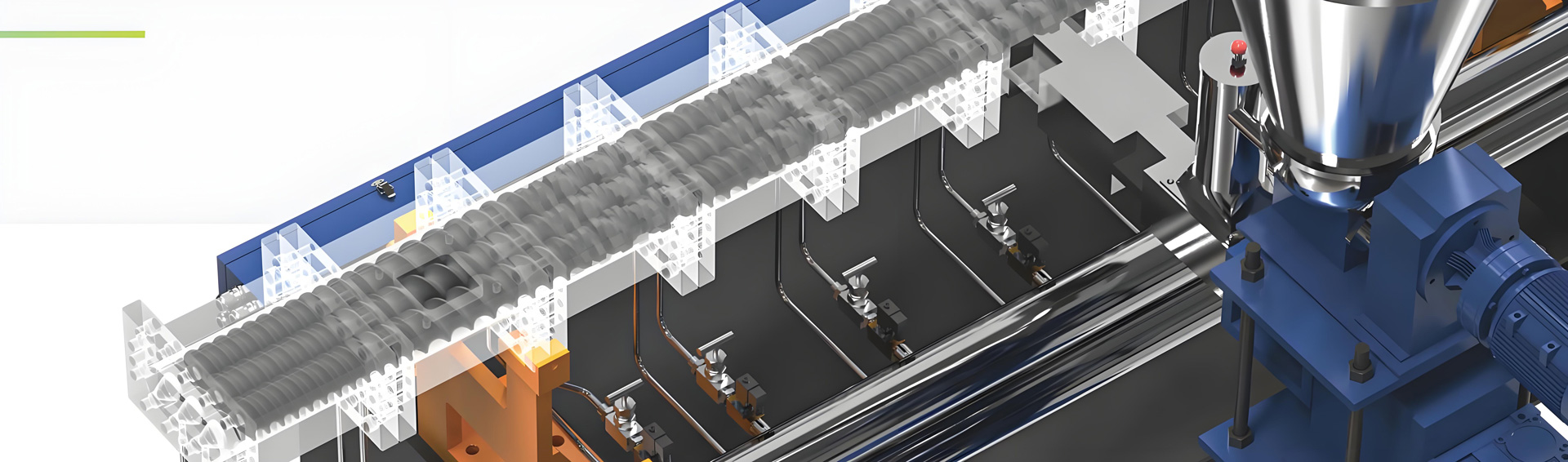
A Twin Screw Extruder operates by conveying, melting, mixing, and shaping polymer materials through a pair of intermeshing screws rotating within a heated barrel. Unlike single screw extruders, twin screw designs offer superior mixing capabilities, making them ideal for Masterbatch Extruders (where color pigments, additives, and carriers are blended) and Compounding Extruders (which combine multiple polymers and additives to create custom formulations). While these machines are engineered for durability, even the most well-built extruders—including Kerke’s precision-engineered models—can experience operational challenges if not properly maintained or operated. This guide provides a comprehensive overview of common troubleshooting tips, drawing on Kerke’s decades of expertise in extruder design and support to help operators resolve issues quickly and prevent recurrence.
2. Pre-Operation Checks: Preventing Common Twin Screw Extruder Issues Before They Occur
Preventive maintenance and pre-operation inspections are the most effective ways to avoid costly downtime with Twin Screw Extruders, Masterbatch Extruders, and Compounding Extruders. Kerke recommends a structured pre-start checklist to ensure all components are in optimal condition, reducing the risk of in-process failures. Below is a detailed breakdown of critical pre-operation checks:
2.1 Mechanical Inspections for Twin Screw Extruder Components
The mechanical integrity of the screws, barrel, bearings, and drive system is paramount to smooth extruder operation. For Kerke Twin Screw Extruders, start by inspecting the screw elements for signs of wear, corrosion, or damage—common issues in Compounding Extruders that process abrasive materials like glass-filled polymers or mineral additives. Check that the screws are properly aligned and intermeshing correctly; misalignment can cause excessive friction, leading to overheating and premature wear. Inspect the barrel for scratches, warping, or buildup of polymer residue, which can disrupt material flow and mixing efficiency in Masterbatch Extruders. Bearings in the drive train and screw shafts should be checked for lubrication levels and play; insufficient lubrication is a leading cause of bearing failure, which can result in costly repairs and unplanned downtime. For Kerke models, refer to the manufacturer’s manual for torque specifications when tightening screw assemblies, as over-tightening can damage threads or distort components.
Next, examine the feed throat and hopper for blockages or material bridging, which are common in Masterbatch Extruders handling high-viscosity carriers or pigment-laden masterbatches. Ensure the feed mechanism (e.g., volumetric or gravimetric feeders) is clean and calibrated, as inconsistent feeding directly impacts the uniformity of the final product in Compounding Extruders. For Kerke Compounding Extruders, verify that the feed throat cooling jacket is functioning correctly—overheating in this area can cause premature melting of materials, leading to bridging and uneven feeding.
2.2 Electrical and Control System Checks
Electrical issues are a frequent source of operational problems in Twin Screw Extruders, yet they are often overlooked during pre-operation checks. At Kerke, we design our extruders with user-friendly control systems, but regular inspections are still critical. Start by checking all electrical connections for tightness, corrosion, or damage—loose wires can cause intermittent power loss or incorrect temperature readings. Verify that the control panel displays accurate readings for barrel temperatures, screw speed, feed rate, and pressure; calibration of sensors (e.g., thermocouples, pressure transducers) should be done quarterly for Kerke Masterbatch Extruders to ensure precise process control.
Test the emergency stop buttons and safety interlocks to confirm they function as intended—safety is non-negotiable during extruder operation, and faulty interlocks can lead to accidents as well as operational disruptions. For Kerke Twin Screw Extruders with touchscreen HMI systems, ensure the software is up to date and that all process parameters (e.g., temperature profiles, screw speed) are set correctly for the specific material being processed (e.g., PE masterbatch vs. PP compound).
2.3 Material Preparation for Masterbatch and Compounding Extruders
Poor material preparation is a leading cause of troubleshooting events in Twin Screw Extruders used for masterbatch and compounding. Kerke recommends strict adherence to material handling guidelines to avoid issues such as moisture contamination, inconsistent particle size, or foreign material inclusion.
Most polymers and additives (e.g., pigments, stabilizers) absorb moisture from the air, which can cause bubble formation, poor melt quality, and surface defects in the extruded product. For Masterbatch Extruders processing hygroscopic materials like nylon or PET, pre-drying is essential—Kerke advises drying temperatures of 80–120°C for 2–4 hours, depending on the material, to reduce moisture content below 0.05%. Compounding Extruders handling recycled plastics require additional care, as contaminants (e.g., dirt, metal, paper) can damage screw elements or cause uneven mixing; use magnetic separators and sieves to remove foreign particles before feeding materials into the extruder.
Ensure that all raw materials are mixed uniformly (if pre-blended) and that particle sizes are consistent—variations in particle size can lead to inconsistent feeding and melting in Twin Screw Extruders. For Kerke Compounding Extruders, we recommend using material hoppers with agitators to prevent segregation of additives (e.g., carbon black in masterbatches) and maintain a consistent feed rate.
3. Common Operational Issues and Step-by-Step Troubleshooting for Twin Screw Extruders
Even with thorough pre-operation checks, Twin Screw Extruders—including Masterbatch Extruders and Compounding Extruders—can experience operational issues during production. Below is a detailed breakdown of the most common problems, their root causes, and Kerke-recommended troubleshooting steps to resolve them quickly.
3.1 Uneven Material Feeding: A Top Issue in Twin Screw Extruder Operations
Uneven feeding is one of the most prevalent issues in Twin Screw Extruder operations, particularly in Masterbatch Extruders and Compounding Extruders that handle a mix of base polymers and additives. This problem manifests as inconsistent extrudate output, fluctuating melt pressure, and poor product uniformity (e.g., uneven color dispersion in masterbatches).
Causes: The primary causes of uneven feeding include material bridging in the hopper, incorrect feeder calibration, worn feed screws, or temperature imbalances in the feed throat. For Kerke Twin Screw Extruders, bridging is often caused by high humidity (leading to material clumping) or the use of materials with irregular particle shapes (e.g., fibrous additives in compounding). Gravimetric feeders, while more accurate than volumetric ones, can also malfunction if the load cell is dirty or calibrated incorrectly, leading to inconsistent material delivery.
Troubleshooting Steps:
1. First, stop the extruder and inspect the hopper for bridging—use a clean, non-metallic tool to break up clumps (never insert hands or metal tools into the hopper while the machine is powered). For persistent bridging in Kerke Masterbatch Extruders, install a vibratory hopper or agitator to keep materials flowing freely.
2. Check the feed screw (auger) for wear or damage—worn flights reduce material conveyance efficiency, leading to uneven feeding. Replace worn feed screws with Kerke’s high-wear resistant models if necessary, as these are engineered to withstand abrasive materials common in compounding applications.
3. Recalibrate the feeder (volumetric or gravimetric) according to Kerke’s operating manual—for gravimetric feeders, zero the load cell and run a calibration test with the actual material being processed (not a substitute) to ensure accurate feed rates (typically measured in kg/h or lb/h).
4. Verify that the feed throat cooling system is operational—overheating in the feed throat causes premature melting of materials, which sticks to the feed screw and disrupts flow. Adjust the cooling water temperature to maintain the feed throat at 20–40°C for most polymers.
Prevention: To avoid uneven feeding in Compounding Extruders, store raw materials in a dry, climate-controlled environment to prevent clumping. Use anti-caking agents (if compatible with the material) for hygroscopic additives, and schedule regular cleaning of the feed hopper and feeder to remove residue buildup.
3.2 Excessive Temperature Fluctuations: Impacting Melt Quality in Masterbatch Extruders
Temperature control is critical in Twin Screw Extruder operations, especially for Masterbatch Extruders where consistent temperatures are required for uniform pigment dispersion and Compounding Extruders processing heat-sensitive materials (e.g., PVC, biodegradable polymers). Excessive temperature fluctuations lead to poor melt quality, product degradation, and inconsistent extrudate properties.
Causes: Temperature fluctuations can stem from faulty heaters, malfunctioning cooling systems (e.g., water jackets, fans), incorrect PID controller settings, or blocked temperature sensors (thermocouples). In Kerke Twin Screw Extruders, heater bands can fail due to thermal cycling or electrical shorts, while cooling water flow restrictions (e.g., mineral buildup in lines) reduce heat removal efficiency.
Troubleshooting Steps:
1. First, check the temperature readings on the control panel against a calibrated handheld thermometer to confirm if the issue is a faulty sensor or actual temperature variation. If the sensor is inaccurate, clean or replace the thermocouple (Kerke recommends using type K thermocouples for extruder applications due to their accuracy and durability).
2. Inspect the heater bands for damage (e.g., cracks, broken wires) and test their continuity with a multimeter—replace any faulty heaters with genuine Kerke replacement parts to ensure compatibility and performance.
3. Check the cooling system: verify that water is flowing through the barrel and screw cooling jackets at the recommended rate (Kerke specifies 10–15 L/min for most Twin Screw Extruders). Flush the cooling lines to remove mineral deposits or debris that restrict flow, and check for leaks in the hoses or fittings.
4. Adjust the PID controller settings (proportional, integral, derivative) to optimize temperature stability—Kerke provides default PID settings for common materials (e.g., PE masterbatch: proportional gain = 5, integral time = 100s, derivative time = 10s) that can be fine-tuned based on specific process conditions.
Prevention: For Compounding Extruders processing heat-sensitive materials, install a secondary temperature monitoring system to alert operators to fluctuations before they impact product quality. Schedule monthly inspections of heaters and cooling systems, and replace worn components proactively.
3.3 Screw Wear and Damage: A Costly Issue in Compounding Extruders
Screw wear is a major concern for Twin Screw Extruders, especially Compounding Extruders that process abrasive materials (e.g., glass fibers, talc, carbon black) or recycled plastics with contaminants. Worn screw elements reduce mixing efficiency, increase energy consumption, and lead to poor product quality—left unaddressed, they can cause catastrophic damage to the extruder barrel.
Causes: Screw wear is caused by abrasive wear (from hard particles in the material), corrosive wear (from acidic or alkaline additives), or mechanical wear (from misalignment, metal-to-metal contact, or over-torque). In Kerke Twin Screw Extruders, misalignment between the two screws is a common contributor to uneven wear, as it creates gaps and friction points that accelerate material degradation and screw damage.
Troubleshooting Steps:
1. Stop the extruder, power it off, and lock out the system (LOTO) before inspecting the screws—safety is critical when working with rotating components. Remove the screw assembly (follow Kerke’s detailed disassembly instructions to avoid damage) and inspect each element for wear, scoring, or deformation.
2. Measure the screw diameter at multiple points using a micrometer—Kerke specifies a maximum wear limit of 0.2mm for most screw elements; beyond this, mixing efficiency drops significantly, and replacement is recommended.
3. Check for misalignment by measuring the gap between the screws and the barrel—if the gap is uneven (more than 0.1mm variation), realign the screw shafts using Kerke’s alignment tools and torque specifications.
4. For minor wear (within acceptable limits), polish the screw elements with a fine-grit abrasive pad to remove burrs and restore smooth surfaces—this can temporarily improve performance until replacement is feasible. For severe wear, replace the screw elements with Kerke’s high-performance alloys (e.g., nitrided steel, bimetallic coatings) that offer superior wear resistance for compounding applications.
Prevention: To extend screw life in Masterbatch Extruders and Compounding Extruders, use wear-resistant coatings (Kerke offers bimetallic barrels and screws for abrasive materials), avoid processing contaminated materials, and maintain proper screw alignment. Additionally, operate the extruder within the recommended torque and speed limits to reduce mechanical stress on the screws.
3.4 Poor Melt Quality: A Critical Issue for Masterbatch and Compounding Extruders
Poor melt quality is a primary concern for operators of Twin Screw Extruders used in masterbatch and compounding, as it directly impacts product performance (e.g., color fastness, mechanical properties). Symptoms include inconsistent melt viscosity, bubble formation, streaking (in masterbatches), and poor additive dispersion.
Causes: The main causes of poor melt quality are inadequate mixing, moisture contamination in raw materials, insufficient melting temperature, or worn mixing elements in the extruder. In Kerke Compounding Extruders, mixing zone design is optimized for uniform dispersion, but worn kneading blocks or conveying elements can reduce mixing efficiency over time.
Troubleshooting Steps:
1. First, verify that raw materials are properly dried—moisture is the most common cause of bubbles and poor melt quality. Retest the moisture content of the material (use a Karl Fischer titrator for accuracy) and extend drying time if necessary (Kerke recommends a minimum of 2 hours for hygroscopic materials).
2. Check the temperature profile of the extruder barrel—insufficient temperature in the melting zone leads to incomplete melting, while excessive temperature causes polymer degradation. Adjust the temperature profile to match Kerke’s recommendations for the specific material (e.g., PP compound: 180–220°C, PE masterbatch: 160–200°C).
3. Inspect the mixing elements (kneading blocks, distributive mixers) for wear or damage—worn elements cannot properly blend additives and base polymers. Replace worn mixing elements with Kerke’s precision-engineered components to restore mixing efficiency.
4. Adjust the screw speed and feed rate to optimize residence time—too fast a screw speed reduces mixing time, while too slow a speed can cause overheating and degradation. Kerke recommends a residence time of 30–60 seconds for most masterbatch and compounding applications to ensure complete melting and mixing.
5. If streaking is present in masterbatches (a sign of poor pigment dispersion), increase the number of kneading blocks in the mixing zone (Kerke offers customizable screw configurations for masterbatch extruders) or reduce the feed rate to allow more time for dispersion.
Prevention: To maintain consistent melt quality, use pre-dried materials, calibrate temperature sensors regularly, and inspect mixing elements during routine maintenance. For Kerke Twin Screw Extruders, schedule quarterly inspections of the mixing zone to identify wear early and replace components before they impact product quality.
3.5 Extrusion Rate Instability: Affecting Product Consistency
Extrusion rate instability (fluctuating output volume) is a common issue in Twin Screw Extruders, leading to inconsistent product dimensions (e.g., pellet size in compounding, strand diameter in masterbatch) and increased waste.
Causes: This issue is typically caused by inconsistent feed rates, fluctuating melt pressure, worn screw elements, or incorrect screw speed settings. In Kerke Masterbatch Extruders, pressure imbalances in the die head can also disrupt the extrusion rate, as the extruder struggles to maintain a consistent flow through the die.
Troubleshooting Steps:
1. Verify the feed rate is stable using the extruder’s control system—if the feed rate is fluctuating, recalibrate the feeder (as outlined in section 3.1) or check for hopper bridging.
2. Monitor the melt pressure at the die head using the extruder’s pressure transducer—Kerke Twin Screw Extruders are equipped with pressure sensors to track this critical parameter. If pressure is fluctuating, inspect the die for blockages (e.g., polymer buildup) and clean it thoroughly (use a brass brush or solvent compatible with the polymer).
3. Check the screw speed for variations—an unstable drive system or worn gearbox can cause speed fluctuations. Test the drive motor with a tachometer to confirm consistent speed, and inspect the gearbox for oil leaks or wear (Kerke recommends annual gearbox oil changes to maintain performance).
4. Inspect the screw elements for wear (as outlined in section 3.3)—worn elements reduce material conveyance efficiency, leading to inconsistent extrusion rates. Replace worn elements to restore consistent flow.
Prevention: To maintain a stable extrusion rate, use gravimetric feeders (Kerke offers integrated gravimetric feeding systems for its Twin Screw Extruders) for precise material delivery, clean the die regularly to prevent buildup, and maintain the drive system and gearbox according to the manufacturer’s schedule.
3.6 Leakage: Material or Oil Leaks in Twin Screw Extruders
Leakage is a common operational issue in Twin Screw Extruders, with two primary types: material leakage (polymer melt) and oil leakage (from the gearbox or hydraulic system). Both types of leaks lead to waste, safety hazards, and reduced extruder efficiency.
Causes: Material leakage typically occurs at the barrel joints, die head, or feed throat due to worn seals, loose fasteners, or excessive melt pressure. Oil leakage is caused by worn gaskets, damaged oil seals in the gearbox or screw shafts, or overfilling the gearbox with oil.
Troubleshooting Steps:
1. For material leakage:
– Stop the extruder and allow the barrel to cool to a safe temperature (below 100°C) before inspecting. Tighten loose fasteners on the barrel joints or die head (follow Kerke’s torque specifications to avoid over-tightening, which can warp flanges).
– Inspect the barrel seals (e.g., O-rings, lip seals) for wear or damage—replace worn seals with genuine Kerke parts to ensure a proper fit and resistance to high temperatures and pressure.
– Reduce melt pressure by adjusting the screw speed or feed rate if pressure exceeds Kerke’s recommended limits (typically 300–500 bar for most Twin Screw Extruders).
2. For oil leakage:
– Inspect the gearbox oil level—overfilling causes pressure buildup and leakage, while underfilling leads to overheating and wear. Adjust the oil level to match Kerke’s specifications (check the oil sight glass for the correct level).
– Inspect oil seals on the screw shafts and gearbox output shafts for wear or damage—replace worn seals with Kerke’s high-temperature oil seals designed for extruder applications.
If cracks are found in the gearbox housing, contact Kerke Extruder service team immediately for professional repair or component replacement, as continued operation with a damaged housing will lead to complete gearbox failure. For long-term leakage prevention, all Kerke Twin Screw Extruders, Masterbatch Extruders, and Compounding Extruders are built with high-temperature-resistant seals and precision-flanged barrels to minimize the risk of leaks under normal operating conditions.
3.7 Motor Overload & High Power Consumption in Twin Screw Extruders
Motor overload and excessive power draw are frequent problems that can trigger automatic shutdowns, increase operational costs, and shorten the service life of Twin Screw Extruders, especially heavy-duty Compounding Extruders running at high torque. Operators may notice frequent tripping of circuit breakers, abnormal heat from the motor housing, or higher-than-normal energy consumption recorded on production meters.
Causes: Common causes include excessive screw speed, overfeeding of materials, high material viscosity, blocked dies or barrel passages, insufficient cooling, or worn mechanical components such as gears, bearings, or screw elements. In some cases, incorrect voltage supply or motor parameter mismatches can also lead to overload issues. For Kerke Masterbatch Extruders used for highly filled formulations, overfeeding is the most typical trigger of motor overload.
Troubleshooting Steps:
1. Reduce the screw speed gradually and lower the feed rate simultaneously to bring the motor load back within the rated range shown on the Kerke control panel. Most Kerke Twin Screw Extruders feature real-time load monitoring to help operators maintain safe operating levels.
2. Check for material buildup or blockages inside the barrel, die, or screen changer. Clean all passages thoroughly to restore smooth material flow, as restricted flow forces the motor to work harder.
3. Verify that the material being processed matches the extruder’s capacity. Highly viscous polymers, highly filled compounds, or abrasive additives require lower throughput and higher torque, which must be accounted for in operational settings.
4. Inspect the gearbox and bearings for increased friction due to insufficient lubrication or wear. Follow Kerke’s lubrication specifications and replace aged lubricant or worn components as needed.
5. Confirm that the main power supply voltage is stable and matches the motor’s rated requirements. Unstable power can cause inconsistent performance and overload alarms.
Prevention: Use the Kerke HMI system to set safe upper limits for motor load and screw speed. Avoid sudden increases in feed rate or material density. Perform regular lubrication and mechanical inspections to reduce friction and keep power consumption at optimal levels.
3.8 Unusual Noise & Vibration in Twin Screw Extruder Operations
Unusual noise and excessive vibration are early warning signs of mechanical failure in Twin Screw Extruders, Masterbatch Extruders, and Compounding Extruders. Ignoring these symptoms can lead to catastrophic damage to the screw shaft, gearbox, or barrel, resulting in long downtime and expensive repairs.
Causes: Typical sources include loose mechanical parts, misaligned screws or barrel, damaged gears or bearings, foreign objects trapped in the barrel, uneven feeding, or foundation instability. In Kerke Compounding Extruders, vibration often arises from unbalanced screw assemblies or sudden surges in material feed.
Troubleshooting Steps:
1. Immediately reduce screw speed and inspect the entire extruder line for loose bolts, flanges, or mounting brackets. Tighten all fasteners according to Kerke’s torque requirements.
2. Shut down the machine safely and check for foreign metal or hard particles inside the barrel, which can strike the screws and create loud noise. Remove any contaminants before restarting.
3. Inspect screw alignment and shaft concentricity. Misaligned screws create uneven pressure and strong vibration; realignment by certified Kerke technicians is recommended for precision.
4. Check the gearbox for damaged gear teeth or faulty bearings. Unusual grinding or rattling sounds often originate from the gearbox, which is the core transmission component of any high-performance Twin Screw Extruder.
5. Ensure the extruder is installed on a rigid, level foundation with proper damping pads. Uneven installation amplifies vibration during high-speed operation.
Prevention: Perform monthly visual and acoustic inspections. Train operators to recognize normal operating sounds versus abnormal noises. For Kerke Extruder users, regular professional maintenance can detect alignment issues and gear wear long before they cause severe vibration or failure.
3.9 Die Clogging & Strand Breakage in Masterbatch & Compounding Extruders
Die clogging and frequent strand breakage are especially disruptive in Masterbatch Extruders and Compounding Extruders, as they directly interrupt pelletizing, reduce product uniformity, and increase material waste. This issue appears as reduced output, uneven strands, or complete blockage at the die face.
Causes: Die clogging usually results from carbonized polymer residue, degraded additives, unmelted material, or contaminants. Strand breakage is often caused by inconsistent melt pressure, poor melt quality, sharp die edges, or improper cooling of extruded strands.
Troubleshooting Steps:
1. Stop the feeding process but maintain low screw speed to clean out residual material. Once the barrel is nearly empty, shut down the extruder and clean the die plate thoroughly using appropriate tools and heat cleaning methods.
2. Polish die holes to remove burrs or carbon buildup that can snag strands and cause breakage. Kerke provides custom die plates designed for smooth extrusion and easy cleaning for both masterbatch and compounding applications.
3. Optimize the temperature profile to ensure full melting and reduce material degradation. Inadequate heating in the final barrel zones often leads to unmelted particles that clog the die.
4. Adjust strand cooling efficiency. Insufficient cooling causes soft, breakable strands, while over-cooling can make strands brittle. Kerke Twin Screw Extruder lines are often paired with integrated cooling systems for stable strand quality.
5. Install a screen changer to filter contaminants before they reach the die. This is highly effective for Compounding Extruders processing recycled or highly filled materials.
Prevention: Clean the die plate regularly based on production material and schedule. Use melt filters appropriate for the application. Avoid overheating polymers, which accelerates carbonization and die buildup.
3.10 Poor Pellet Quality & Size Variation in Compounding Extruders
Pellet quality is the final standard for evaluating Compounding Extruder and Masterbatch Extruder performance. Common issues include uneven pellet size, irregular shape, soft pellets, dust accumulation, or surface imperfections. These issues lower product value and can cause feeding problems in downstream processing.
Causes: Poor pellet quality is linked to unstable strand extrusion, incorrect pelletizer settings, dull cutter blades, inconsistent cooling, or poor melt homogeneity. For Twin Screw Extruders used in masterbatch production, color inconsistency and agglomeration are also frequent quality complaints.
Troubleshooting Steps:
1. Calibrate the pelletizer speed to match the extrusion rate. Mismatched speeds are the leading cause of uneven pellet length in Kerke Masterbatch Extruder systems.
2. Replace dull or damaged cutter blades. Sharp blades ensure clean cuts and reduce dust and frictional melting.
3. Improve strand cooling uniformity to ensure pellets are fully solidified before cutting. Wet or soft pellets easily deform during pelletizing.
4. Optimize screw configuration and mixing elements to improve melt uniformity. Kerke offers customizable screw designs specifically for color masterbatch, functional masterbatch, and high-performance polymer compounding.
5. Check for inconsistent feeding or temperature fluctuations that cause variations in melt output and strand diameter.
Prevention: Establish standard operating procedures for pelletizer calibration, blade maintenance, and cooling system control. Regularly maintain both the Twin Screw Extruder and downstream pelletizing equipment for consistent high-quality output.
4. Preventive Maintenance Schedule for Kerke Twin Screw Extruders
The most effective way to reduce troubleshooting requirements and extend the service life of Twin Screw Extruders, Masterbatch Extruders, and Compounding Extruders is a structured preventive maintenance plan. Kerke Extruder recommends the following maintenance schedule based on decades of industry experience:
4.1 Daily Maintenance
– Clean hopper, feeder, and feed throat to prevent material bridging and contamination.
– Check temperature, pressure, motor load, and screw speed for stable operation.
– Inspect for material or oil leaks around the barrel, die, and gearbox.
– Monitor strand quality and pellet appearance for early warning signs.
4.2 Weekly Maintenance
– Clean die plate, screen changer, and melt passages.
– Check feeder calibration and feeding stability.
– Inspect cutter blades and replace if dull.
– Verify cooling water flow and temperature control systems.
4.3 Monthly Maintenance
– Inspect screw elements and barrel for wear.
– Check screw alignment and shaft stability.
– Calibrate temperature sensors and pressure transducers.
– Tighten mechanical fasteners and flanges.
4.4 Quarterly & Annual Maintenance
– Full gearbox inspection, lubricant replacement, and bearing check.
– Comprehensive screw and barrel wear measurement.
– Electrical system and control panel inspection.
– Professional alignment and performance testing by Kerke service engineers.
5. Why Choose Kerke Twin Screw Extruders for Masterbatch & Compounding?
Kerke Extruder (www.kerkeextruder.com) is a professional manufacturer and supplier of high-performance Twin Screw Extruders, Masterbatch Extruders, and Compounding Extruders. Our machines are designed to minimize downtime, simplify troubleshooting, and deliver stable, high-quality output for a wide range of polymer processing applications.
Key advantages of Kerke Extruder equipment include:
– High-torque, high-speed gearboxes for reliable operation in heavy-duty compounding.
– Wear-resistant screw and barrel materials for extended service life with abrasive formulations.
– Precise temperature and pressure control systems that reduce common operational faults.
– Modular design for easy maintenance, component replacement, and process customization.
– User-friendly HMI control systems with real-time monitoring and alarm functions.
– Full-chain after-sales support, including troubleshooting guidance, maintenance training, and quick spare parts supply.
Whether you produce color masterbatch, functional masterbatch, glass fiber reinforced compounds, biodegradable plastics, or engineering plastic compounds, Kerke Twin Screw Extruders provide the stability, efficiency, and durability required for modern manufacturing.
6. Conclusion
Twin Screw Extruders are essential equipment in modern polymer processing, and efficient troubleshooting is critical to maintaining productivity, reducing costs, and ensuring consistent product quality. Common issues including uneven feeding, temperature fluctuations, screw wear, poor melt quality, motor overload, vibration, die clogging, and pellet defects can all be resolved quickly with systematic diagnosis and proper operation practices.
By following the troubleshooting tips and preventive maintenance guidelines outlined in this article, operators can significantly reduce downtime and improve the performance of Masterbatch Extruders and Compounding Extruders. Choosing reliable, well-designed equipment from a professional manufacturer like Kerke Extruder further minimizes operational risks and enhances long-term production stability.
For more technical support, detailed equipment specifications, or customized extrusion solutions, visit the official Kerke Extruder website at www.kerkeextruder.com. Our professional team is always ready to assist you with all your twin screw extrusion, masterbatch production, and polymer compounding needs.